Download Duga VPN
If you have questions, read the installation guide or write to support.
Not available yet. As soon as it's ready, we'll post the link in our Telegram channel.
Duga Telegram channelNot available yet. As soon as it's ready, we'll post the link in our Telegram channel.
Duga Telegram channelNot available yet. As soon as it's ready, we'll post the link in our Telegram channel.
Duga Telegram channelInstallation guide
Installation usually completes on its own. If your device asked you something, find your case below.
Android
Which country is set in your Google Play?
I don't know
Install the app from the website: this works with any country. Your phone will ask for permission a couple of times — it does so for any app that is not from Google Play.
-
Tap “Download from the website”. If the browser asks again, tap “Download anyway”.
-
When the file has downloaded, pull down the notification shade and tap the duga file.
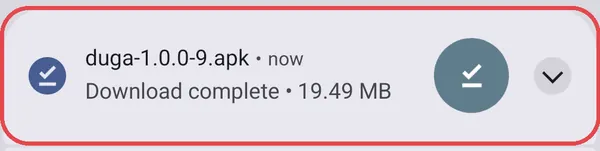
No notification? Open the ⋮ menu in Chrome, then “Downloads”, and tap the file there.
-
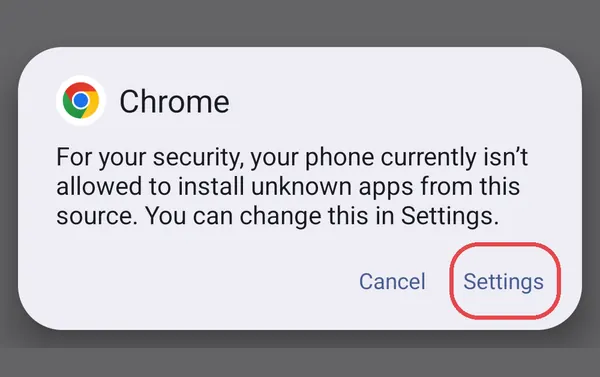
The phone will say that it blocks installs from this source. Tap “Settings”.
-
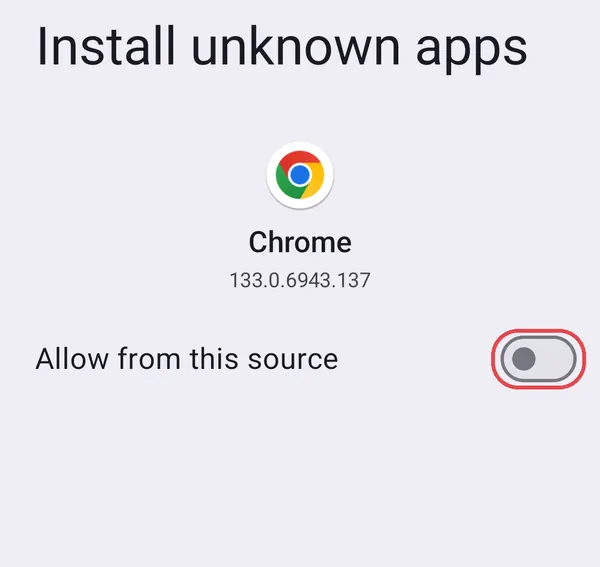
Turn on “Allow from this source”.
-
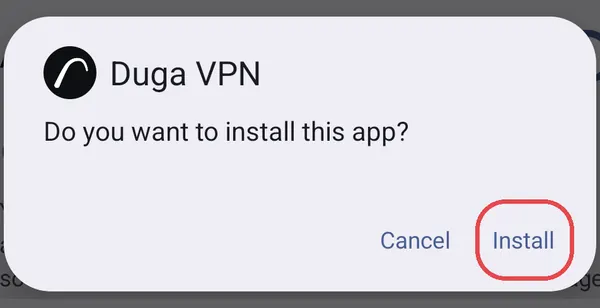
The “Do you want to install this app?” window will appear right away. Tap “Install”. If it does not appear, tap “Back”.
-
When the app is installed, tap “Open”.
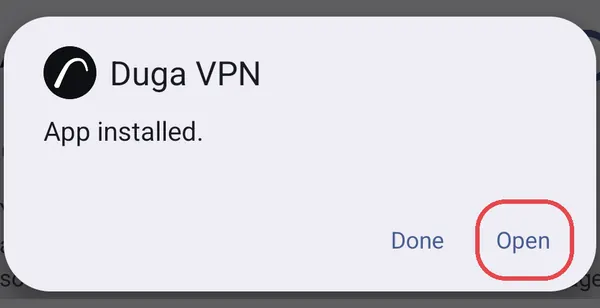
If Google Play Protect offers to scan the app, agree. On Samsung, Xiaomi and other phones the windows look different, but the steps are the same.
You can turn the permission off later: “Settings”, “Apps”, “Special app access”, “Install unknown apps”.
Russia
Tap “Google Play Russia”, then “Install”. If Google Play says the app is unavailable, a different country is set in it: install the app from the website as described under “I don't know”.
Another country
Google Play shows Duga only to accounts set to Russia. Install the app from the website as described under “I don't know”.
Windows
Warning when launching the installer
In the “Windows protected your PC” window, click “More info”, then “Run anyway”.